
GETTING STARTED WITH GIB IN 10 MINUTES
Complete guide to setting up your Web3 profile on GIB. Add wallets with QR codes and start sharing your crypto presence.

What is GIB?
GIB is a link-in-bio tool built specifically for crypto. Think Linktree, but with wallet addresses and auto-generated QR codes.
Your GIB page lives at gib.page/yourname and gives you one link to share everywhere.
In this guide, you'll set up:
- Your profile (name, bio, avatar)
- Wallet addresses with auto-generated QR codes
- A social link
Let's get started.
Step 1: Claim Your Username (1 minute)
- Go to gib.page
- Enter your desired username in the claim form
- Click "Claim"
- Enter your email to receive a magic link
- Click the link in your email to sign in
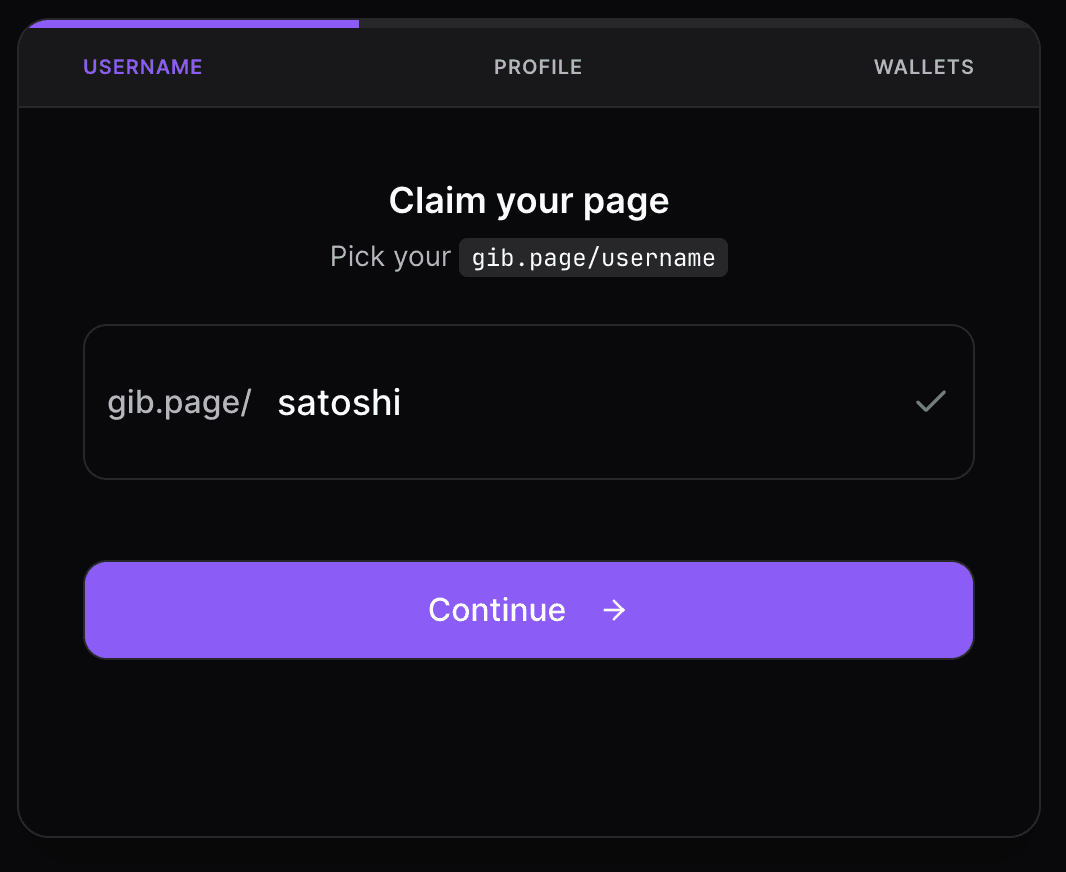
Tips for choosing a username:
- Use your Twitter/X handle if available
- Keep it short and memorable
- 3-30 characters, letters, numbers, and hyphens only
Your page is now live at gib.page/yourname (but empty).
Step 2: Complete Your Profile (2 minutes)
After signing in, you'll land on the dashboard. Let's set up your profile.
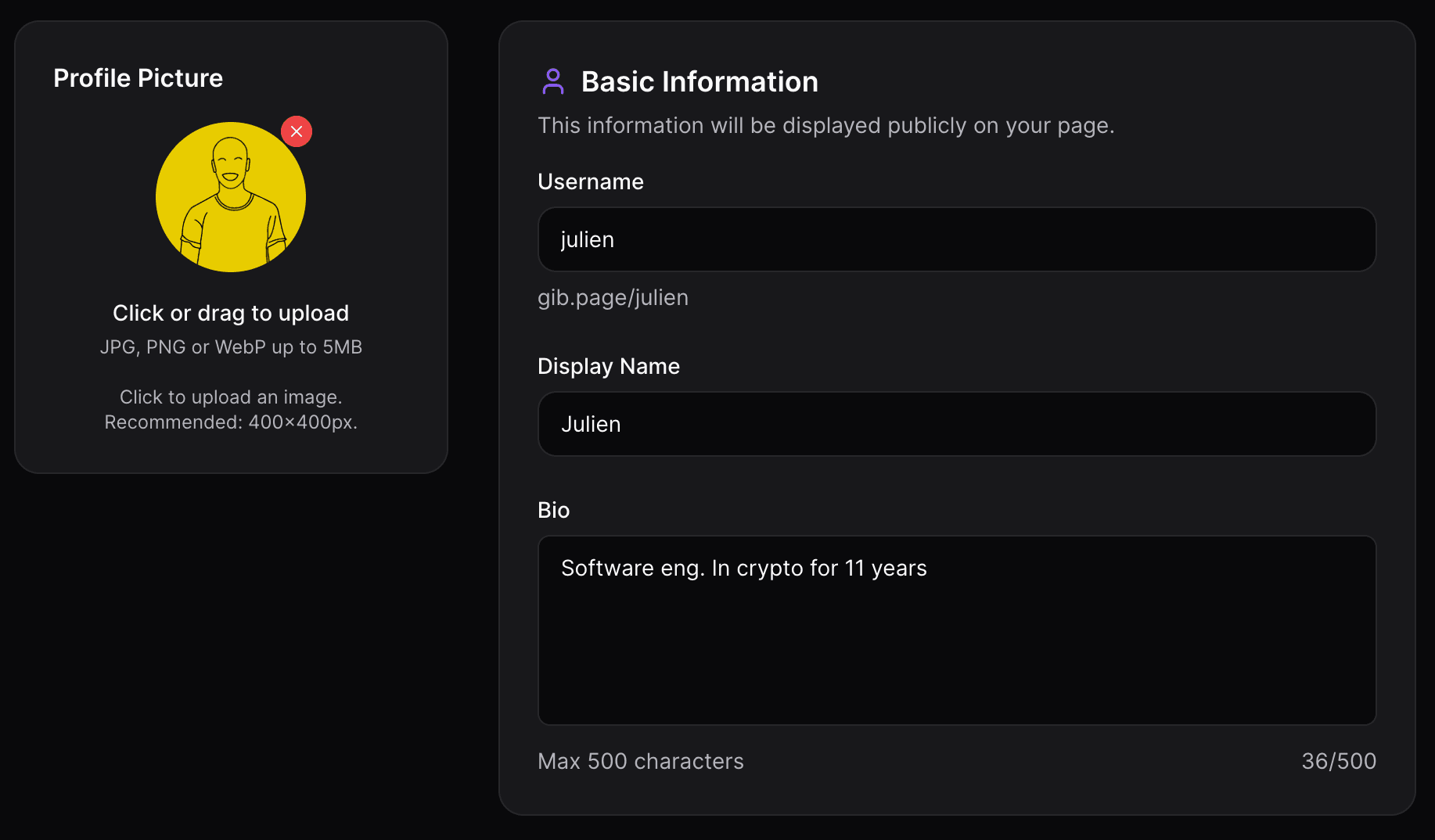
Go to Dashboard > Profile and fill in:
Display Name: Your name or brand name. This shows at the top of your page.
Bio: A short description. Free users get 160 characters, Pro users get 500.
Examples:
- "DeFi developer. Building tools for the permissionless web."
- "NFT artist and collector. Creating on Ethereum and Solana."
- "Crypto content creator. Sharing what I learn along the way."
Avatar: Upload a profile photo or use your existing PFP.
Click Save when done.
Step 3: Add Your Wallet Addresses (2 minutes)
This is what makes GIB different. Go to Dashboard > Wallets.
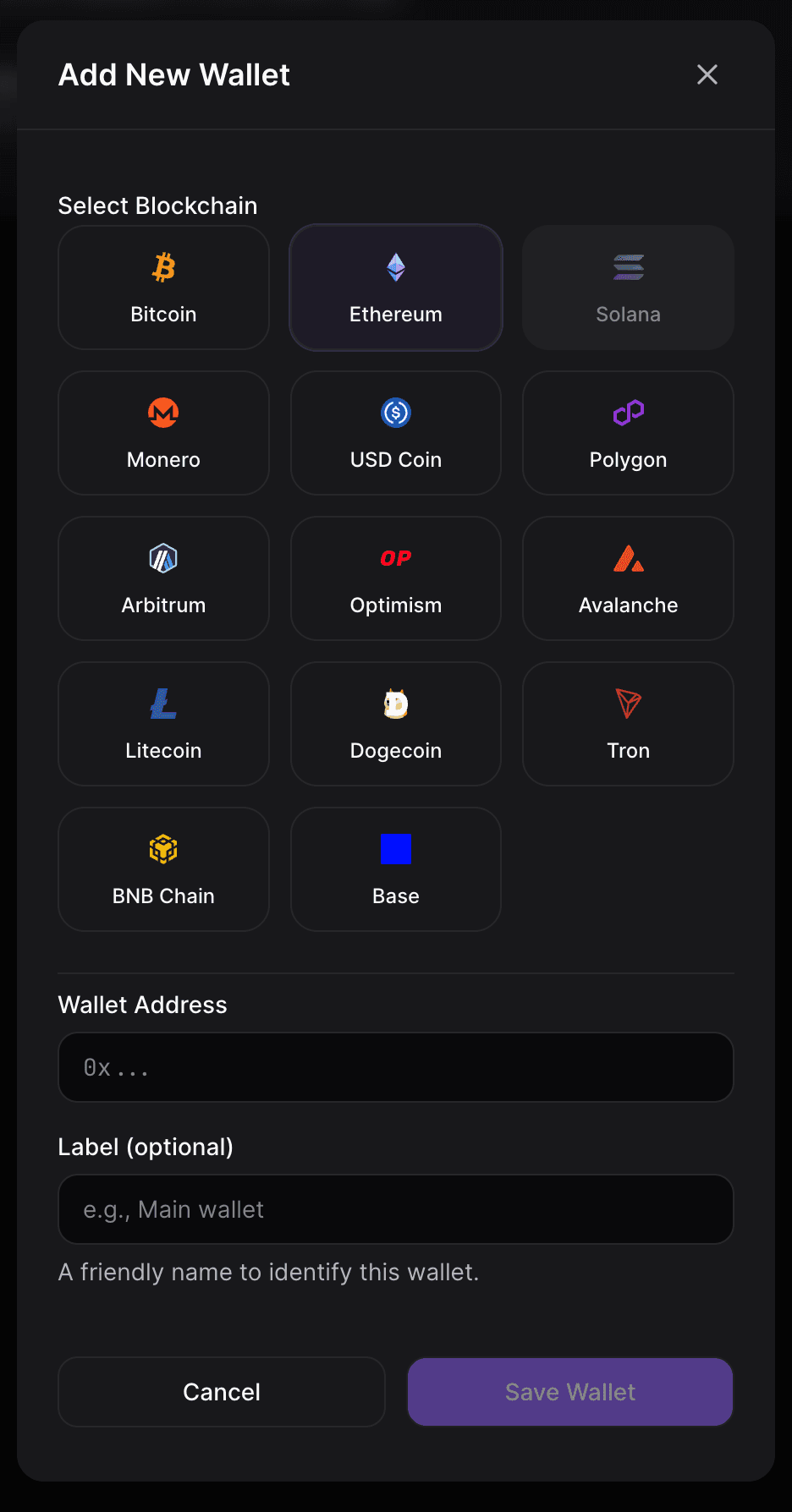
Click Add Wallet and enter:
- Chain: Select your chain (free users: Ethereum or Solana; Pro users: 14+ chains)
- Address: Your public wallet address
- Label (optional): "Main wallet" or "Donations"
GIB automatically:
- Validates your address format
- Generates a QR code
- Displays the chain icon
Free plan: 2 wallets (Ethereum and Solana)
Pro plan: Unlimited wallets across 14+ chains including Bitcoin, Polygon, Arbitrum, Optimism, Base, Avalanche, BNB Chain, Litecoin, Dogecoin, Tron, Monero, and USDC.
Learn more about why QR codes matter for crypto wallets.
Step 4: Add a Social Link (1 minute)
Go to Dashboard > Social to connect a profile.
Free users can add 1 social link. Choose your most important one:
- Twitter/X
- Discord
- Telegram
- GitHub
- YouTube
- Or any of the 13 supported platforms
Just paste your profile URL and GIB handles the rest.
Pro users get unlimited social links across all platforms.
Step 5: Preview and Share
Click View Page in your dashboard to see your live page.
Your page is now ready at gib.page/yourname.
Where to share it:
- Twitter/X bio
- Discord profile
- Email signature
- GitHub README
- Anywhere you currently paste wallet addresses
Pro Features (Optional)
Upgrade to Pro ($9/month) to unlock:
Referral Links
Add unlimited referral links for exchanges and apps. Go to Referrals to add your Binance, Coinbase, Ledger, and other affiliate links. See our guide on organizing referral codes.
Funding Goals
Set up donation goals with live progress tracking. Go to Donation Goals to create fundraising campaigns. Full guide: How to set up a crypto donation page.
Custom Themes
Go to Customization to customize:
- 6 design styles (Minimal, Glassmorphism, Neumorphism, Brutalism, Neon, Comic)
- Custom colors
- Cover image
- Remove GIB branding
Advanced Analytics
See detailed stats including device breakdown, top referrers, and which wallet addresses get copied most.
What's Next?
Your GIB page is set up. Here's what to do next:
- Share it - Put your link in your bio and start using it
- Consider Pro - If you need more wallets, referral links, or funding goals
- Track analytics - See who's visiting (basic on free, detailed on Pro)
Quick Reference
| Task | Location | Plan |
|---|---|---|
| Edit profile | Profile | Free |
| Add wallets | Wallets | Free (2) / Pro (unlimited) |
| Add social links | Social Links | Free (1) / Pro (unlimited) |
| Add referrals | Referrals | Pro |
| Create donation goals | Donation Goals | Pro |
| Customize theme | Customization | Pro |
| View analytics | Analytics | Free (basic) / Pro (advanced) |
FAQ
Can I change my username?
No, usernames are permanent once claimed. You can change your display name anytime in Profile.
How do I delete a wallet or social link?
Click the edit icon on any item, then click "Delete."
What's included in the free plan?
2 wallet addresses (ETH & SOL) with QR codes, 1 social link, and basic page view analytics.
What does Pro cost?
$9/month or $90/year (17% savings). Includes unlimited wallets, referral links, funding goals, themes, and advanced analytics.
How do I get help?
Email us at julien@gib.page.
Related Guides
- Linktree vs GIB: Which is better for crypto?
- Why QR codes matter for crypto wallets
- Organize your referral codes (Pro)
- Set up crypto donations (Pro)
Welcome to GIB. Let's build your Web3 presence.
Written by

READY TO BUILD YOUR WEB3 PROFILE?
Create your gib.page in minutes. Share all your wallets, referrals, and socials in one link.
Only lowercase letters, numbers, hyphens, and underscores are allowed
Free forever. No credit card required.